 how-to
How to Schedule Airbnb Turnovers: A Step-by-Step Guide
Table of Contents
- Why Turnover Scheduling Matters for Your Airbnb
- Step 1: Set Your Turnover Timeline and Buffer Windows
- Step 2: Sync Your Booking Calendar with Cleaning Teams
- Step 3: Create an Airbnb Cleaning Checklist Template
- Step 4: Automating Airbnb Turnover Scheduling for Efficiency
- Step 5: Use Airbnb Cleaner Communication Scripts
- Managing Same-Day Turnovers and Tight Windows
- Understanding Airbnb Turnover Service Pricing
- Common Mistakes to Avoid When Scheduling Turnovers
- Conclusion
- Frequently Asked Questions
Last Updated: October 1, 2026
Why Turnover Scheduling Matters for Your Airbnb
Learning how to schedule Airbnb turnovers is one of the most critical operational tasks you'll manage as a short-term rental host. A poorly timed turnover can cost you bookings, damage your guest reviews, and create stress that makes hosting feel impossible. The difference between a smooth transition and a chaotic one often comes down to planning.
When guests check out and new ones check in the same day, every minute counts. Your cleaning crew needs clear instructions. Your booking calendar must sync perfectly. Your supply inventory needs replenishment. One missed step cascades into problems. That's why hosts who master turnover scheduling see higher occupancy rates and better guest satisfaction scores.
At Top Royal Cleaners, we've worked with Airbnb hosts who struggled with turnovers until they implemented a structured system. The hosts who succeed treat turnovers like a choreographed process, not an improvisation. This guide walks you through exactly how to schedule Airbnb turnovers so nothing falls through the cracks.
Step 1: Set Your Turnover Timeline and Buffer Windows
Your first decision is how much time to block between guests. Most hosts assume a 2-hour turnover is enough. In reality, that rarely works.
A realistic turnover timeline includes:
- Guest checkout (usually 11 AM)
- Time for cleaning crew to arrive and inspect the property
- Deep cleaning (typically 2-4 hours depending on property size)
- Quality check and any touch-ups
- Buffer time for unexpected issues
Build in at least 30-60 minutes of buffer time. Guests occasionally check out late. Cleaners hit traffic. Inventory runs lower than expected. That buffer protects your next booking.
For same-day turnovers, block at least 4-5 hours between checkout and check-in. For overnight turnovers, you have more flexibility, but rushing creates mistakes.
Document your specific timeline. Write it down. Share it with your cleaning team. When everyone knows the schedule, execution becomes predictable. Hosts who set clear buffer windows report fewer last-minute cancellations and guest complaints.
Step 2: Sync Your Booking Calendar with Cleaning Teams
Your booking calendar and your cleaning schedule must speak the same language. If they're out of sync, you'll double-book cleaners or leave gaps where no one is scheduled.
Start by choosing one source of truth. Most hosts use their Airbnb calendar as the primary system. Your cleaning team should have access to view it (though not edit it). When a new booking comes in, your cleaning schedule updates automatically.
If you work with independent contractors, send them a weekly or bi-weekly schedule. Include:
- Guest names
- Check-in and check-out times
- Special requests or notes
- Backup contact numbers
Use a shared calendar tool like Google Calendar or a property management system. When your cleaner can see the full week at a glance, they plan their route better and rarely miss a turnover.
Real-time notifications matter. When a last-minute booking comes in, your team needs to know immediately. A simple text or email alert prevents double-bookings and keeps everyone aligned.
What to Do When Scheduling Conflicts Happen
Despite best efforts, conflicts occur. A cleaner cancels 12 hours before turnover. A guest books same-day. Your software fails to sync. Having a conflict resolution protocol prevents these situations from becoming guest-facing disasters.
Establish a backup cleaner network. Before you need it, identify at least two backup cleaners who can cover your property on short notice. Text them monthly with a simple "Still available for emergency turnovers?" Keep their rates and availability documented. When your primary cleaner cancels, you have a pre-vetted option ready, not a panicked search.
Create a cancellation escalation timeline. Define decision points:
- If a cleaner cancels with 48+ hours notice: reschedule with backup or adjust guest check-in time if possible.
- If cancellation comes with 24-48 hours notice: contact backup immediately; if unavailable, consider offering the guest a late check-in (4 PM instead of 3 PM) to buy cleaning time.
- If cancellation is within 24 hours: activate your backup cleaner, contact the incoming guest proactively to explain a slight delay, or (as a last resort) offer a discount for a late arrival and self-check-in.
Communicate these scenarios to guests upfront in your house rules. Most guests accept a 1-2 hour check-in delay if you explain it transparently rather than leaving them stranded.
Verify calendar sync daily during peak season. Don't assume your integration is working. Spot-check your Airbnb calendar against your cleaning schedule and your cleaner's calendar every morning during high-occupancy periods. A 2-minute daily audit catches sync failures before they cause a missed turnover.
Document every conflict and resolution. When a double-booking or cancellation happens, log what caused it and how you resolved it. After three months, patterns emerge. Maybe your cleaner always cancels on Sundays. Maybe your PMS integration drops bookings made after 10 PM. Once you identify the pattern, you can build a specific workaround, like blocking Sundays or manually syncing late bookings.
Set up a manual override process. Even with automation, keep a simple manual backup. If your software fails, you should be able to text your cleaner a confirmed schedule in under 5 minutes. Have a template ready: "Confirmed: [Date], [Time], [Guest Name], [Special Notes]." This low-tech failsafe has saved countless hosts from missed turnovers.
Step 3: Create an Airbnb Cleaning Checklist Template
A cleaning checklist template is your insurance policy. It ensures every turnover meets the same standard, regardless of which cleaner shows up.
Your Airbnb cleaning checklist template should include:
- Bedroom: change linens, vacuum, dust surfaces, check under bed
- Bathroom: scrub toilet and sink, clean shower/tub, replace towels, restock supplies
- Kitchen: wipe counters and appliances, clean sink, sweep and mop, check fridge
- Living areas: vacuum, dust, wipe down high-touch surfaces (light switches, door handles, remote controls)
- Outdoor spaces: sweep patio, tidy chairs, remove any trash
- Final walkthrough: photo verification, thermostat check, door locks secure
Make your template specific to your property. A studio apartment needs a different checklist than a 3-bedroom house. Include photos showing the standard you expect. Visual references eliminate guesswork.
Digital checklists work better than paper. Use a mobile app or tablet-based system. Your cleaner can check items off in real time, and you get instant confirmation when the turnover is complete. Photo verification, where cleaners snap photos of key areas, adds accountability.
Step 4: Automating Airbnb Turnover Scheduling for Efficiency
Manual scheduling wastes time and invites mistakes. Automation removes friction from the process.
Start with your booking platform. Most property management systems can automatically create cleaning tasks when a booking is confirmed. Set it up so that every new reservation triggers a cleaning assignment with the correct date, time, and guest details.
Next, automate your notifications. Send your cleaning crew a message 48 hours before each turnover. Include the checklist link, special guest requests, and any known issues in the property. Follow up with a reminder 24 hours prior.
Use workflow automation to track inventory. When supplies run low, trigger a reorder automatically. You never want a cleaner to arrive and find no cleaning solution or fresh towels.
For hosts with multiple properties, scheduling software becomes essential. Tools designed for short-term rentals let you manage all turnovers from one dashboard. You see which properties are being cleaned, when cleaners are available, and which turnovers are behind schedule.
The time you invest in setting up automation pays back immediately. Fewer forgotten tasks. Fewer emergency texts at 10 PM. Fewer guests arriving to a property that isn't ready.
Getting Your Cleaning Team to Actually Use Digital Tools
Automation only works if your cleaners use it. This is where most hosts' systems break down. A non-tech-savvy cleaner who doesn't understand the app will ignore it, call you instead, or miss notifications, defeating the entire purpose.
Start with the simplest tool possible. Don't overwhelm a cleaner with a complex property management system on day one. Begin with a single, familiar platform: Google Calendar, text messages, or a basic shared spreadsheet. Once they're comfortable, layer in more sophisticated tools. A cleaner who checks Google Calendar reliably is more valuable than one who has access to a fancy app they never open.
Provide hands-on training, not just a login. Sending a cleaner a link and saying "use this" doesn't work. Schedule a 20-30 minute call or in-person walkthrough. Show them exactly where to find their assignments, how to mark tasks complete, how to upload photos, and how to contact you if something's wrong. Walk through a real turnover together if possible. Ask them to show you how they'd check the calendar on their phone. Confirm they can do it independently before you rely on it.
Create a one-page quick-reference guide. Write a simple, visual guide with screenshots showing the three things your cleaner needs to do: (1) Check the calendar for their assignment, (2) Complete the checklist, (3) Send photos when done. Include your phone number and a note like "If you're unsure about anything, call me." Laminate it or email it weekly. Refer back to it when they miss a step.
Use redundant communication channels. Don't rely on a single notification method. Send the turnover assignment via your primary tool (calendar, app, etc.), but also send a text message with the key details: date, time, guest name, and a link to the full assignment. Cleaners check text messages more reliably than apps. The text is your safety net.
Offer a small incentive for consistent app use. If a cleaner reliably checks the calendar, uploads photos, and marks tasks complete without you having to follow up, offer a $5-10 bonus per week or a small holiday gift. This reinforces the behavior and shows you value their effort to adapt.
Identify which cleaners are tech-ready and which aren't. Some cleaners will embrace digital tools; others won't. That's okay. For tech-resistant cleaners, stick with phone calls and texts. For tech-savvy ones, introduce more sophisticated automation. Forcing a 60-year-old independent contractor to use an app they don't understand creates resentment and errors. Meet them where they are.
Build in a feedback loop. After the first few turnovers using a new tool, ask your cleaner: "Is the calendar easy to use? Do you prefer texts or app notifications? What would make this easier for you?" Their input matters. If they say the app is confusing, simplify it or switch tools. A system your cleaner actually uses beats a theoretically perfect system they ignore.
Step 5: Use Airbnb Cleaner Communication Scripts
Clear communication prevents misunderstandings. A communication script ensures your cleaning team knows exactly what you expect.
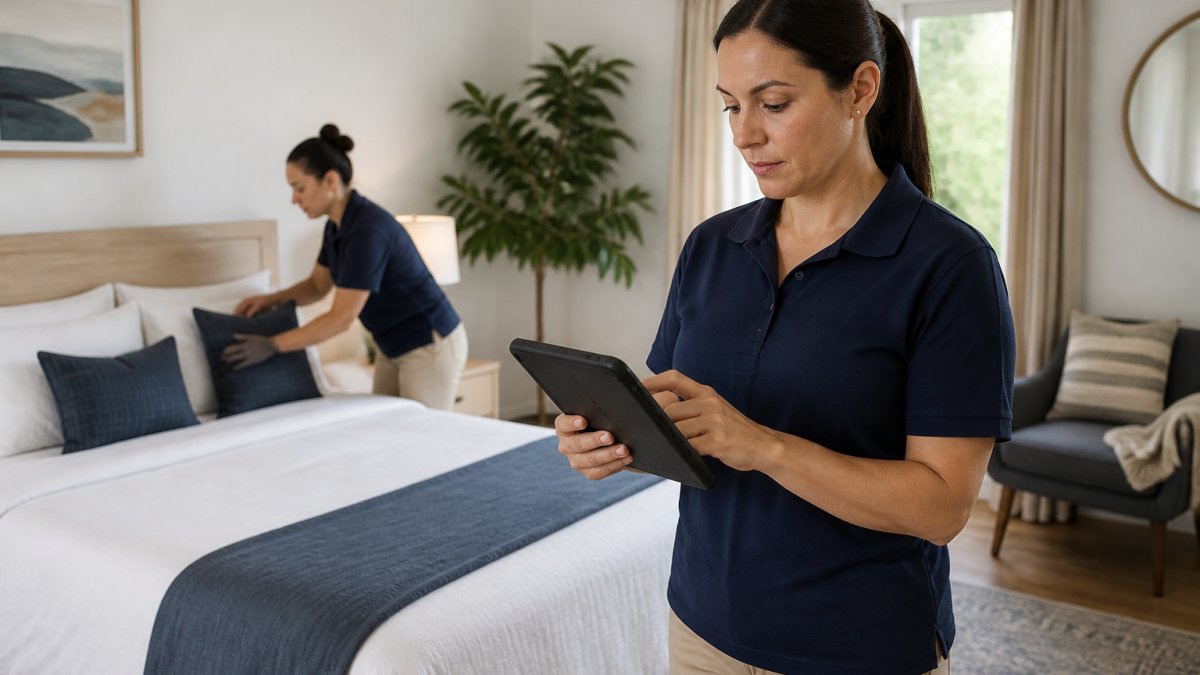
Create a standard message you send before each turnover. Include:
"Hi [Cleaner Name], we have a turnover on [Date]. Guest checks out at 11 AM, next guest arrives at 4 PM. Please plan to arrive by 11:30 AM. Use the attached checklist and take photos when finished. If you find any damage or issues, text me immediately. Thanks."
For problem scenarios, have scripts ready:
- If a cleaner is running late: "I see you're 30 minutes behind. What's your new ETA? Do you need help?"
- If quality issues arise: "I noticed the bathroom isn't fully clean. Can you return today to touch up, or should I arrange backup?"
- If special requests come in: "New guest has a pet allergy. Please pay extra attention to vacuuming and use hypoallergenic supplies."
Keep your tone professional but friendly. Your cleaners are partners, not employees. Respect their time and expertise. When you communicate clearly, they deliver better results.
Managing Same-Day Turnovers and Tight Windows
Same-day turnovers are the hardest scheduling challenge. They're also where many hosts lose money or damage their reputation.
The reality: a same-day turnover works only if everything goes perfectly. Your cleaner must arrive on time. The property must be in decent condition after checkout. No unexpected repairs should pop up. One variable fails, and your next guest arrives to an unclean property.
Consider staggering your bookings. Block at least one night between guests when possible. The extra revenue from one fewer booking often costs less than the damage from a failed same-day turnover. Guests who arrive to a property that isn't ready leave negative reviews that cost you far more in lost bookings.
If you must do same-day turnovers, invest in a professional cleaning service with backup capacity. Independent contractors sometimes cancel last-minute. A professional service has contingency plans. Top Royal Cleaners maintains crew flexibility specifically to handle short-notice Airbnb turnovers.
For tight windows, pre-clean the night before. Have your cleaner do a quick refresh the morning of checkout, focus on bathrooms, linens, and high-touch surfaces. Then a full clean happens after the guest leaves. This splits the work across two visits and reduces the pressure on one person.
Understanding Airbnb Turnover Service Pricing
Turnover costs vary widely based on property size, cleaning depth, and location. Understanding what drives pricing helps you budget correctly.
Factors that affect turnover service pricing:
- Property size: a studio costs less to clean than a 4-bedroom
- Turnover frequency: weekly turnovers cost more than monthly ones
- Cleaning depth: standard clean vs. deep clean with carpet shampooing
- Supply restocking: some services include linens and toiletries, others don't
- Same-day rush fees: expedited turnovers often cost extra
- Travel distance: farther properties may include mileage fees
Most professional cleaning services charge per turnover, not hourly. This gives you predictable costs. Get quotes from multiple providers. Compare what's included, some include linens and restocking, others don't.
When evaluating pricing, factor in the cost of a bad turnover. A guest who arrives to a dirty property leaves a bad review. That review costs you bookings worth hundreds of dollars. Cheap turnover service that fails is actually expensive.
Common Mistakes to Avoid When Scheduling Turnovers
Most turnover problems stem from a few repeatable mistakes. Avoiding these saves time and money.
Mistake 1: Underestimating cleaning time. A 2-hour turnover rarely works. Build in 4-5 hours minimum. Guests leave messes. Unexpected repairs pop up. Buffer time is cheap insurance.
Mistake 2: Not syncing calendars. When your booking calendar and cleaning schedule live in different systems, mistakes happen. Use one integrated system or manually sync daily.
Mistake 3: Unclear instructions. Vague requests lead to inconsistent results. Your checklist should be specific and visual. Photos showing the standard you expect eliminate guesswork.
Mistake 4: Ignoring communication. A text to your cleaner 48 hours before turnover prevents last-minute scrambles. Confirm they received the assignment. Ask if they see any issues.
Mistake 5: Skipping quality checks. Don't assume the cleaning was done right. Spot-check the property or require photo verification. Catching issues early costs less than dealing with guest complaints.
Mistake 6: Relying on one cleaner. If your only cleaner cancels, your turnover fails. Build relationships with backup cleaners. Have at least two people who can cover your property.
Mistake 7: Not planning for growth. Your turnover process works for one property. It breaks when you add a second. Build systems that scale from the start.
Conclusion
Scheduling Airbnb turnovers doesn't have to be stressful. With a clear timeline, synced calendars, detailed checklists, and reliable cleaning partners, turnovers become predictable and smooth.
Top Royal Cleaners helps Airbnb hosts manage turnovers with professional, reliable service. Our fully licensed and insured team handles everything from deep cleaning to supply restocking, with same-day availability for tight turnovers. We work with your booking calendar, follow your specific standards, and communicate clearly so nothing falls through the cracks. Get a quote today and see how professional turnover management can free up your time and boost your guest satisfaction.
Frequently Asked Questions
What should be included in an Airbnb turnover checklist?
A comprehensive Airbnb cleaning checklist template should cover all guest-facing areas: changing bed linens, sanitizing bathrooms, vacuuming and mopping floors, wiping down kitchen appliances, restocking supplies (toiletries, paper products), checking for damage or missing items, emptying trash, and verifying all locks and lights work. Digital checklists with photo verification help ensure consistency and accountability across turnovers, especially for tight windows between guests.
How do I sync my Airbnb calendar with my cleaning service?
Most property management systems and Airbnb platforms integrate with calendar synchronization tools that automatically pull booking dates. Connect your Airbnb calendar to your cleaning scheduling software, which will trigger task assignments to your cleaning crew in real-time. This prevents double-bookings and ensures cleaners receive notifications immediately after guest checkout. Many services offer two-way sync, so changes on either platform update automatically.
How long should a professional cleaner take to clean a 3-bedroom house for Airbnb turnover?
A standard 3-bedroom house typically requires 2-4 hours for a thorough Airbnb turnover, depending on the property's condition, whether it's a refresh or deep clean, and the cleaner's experience. Tight same-day turnovers may need multiple cleaners working simultaneously to meet checkout and check-in deadlines. Factors like pet hair, linens, and inventory restocking can extend the timeline. Professional services account for these variables when quoting turnover service pricing.
How do I handle double-bookings or conflicts in my turnover schedule?
Prevent conflicts by building buffer time between guest checkout and the next check-in, typically 3-4 hours minimum. Use automated scheduling software that flags overlapping bookings immediately. If a conflict occurs, contact your cleaning crew right away with a clear communication script outlining the new timeline. Have backup cleaners on standby for emergencies. Document all changes to maintain accountability and adjust future scheduling to avoid repeating the same bottlenecks.